

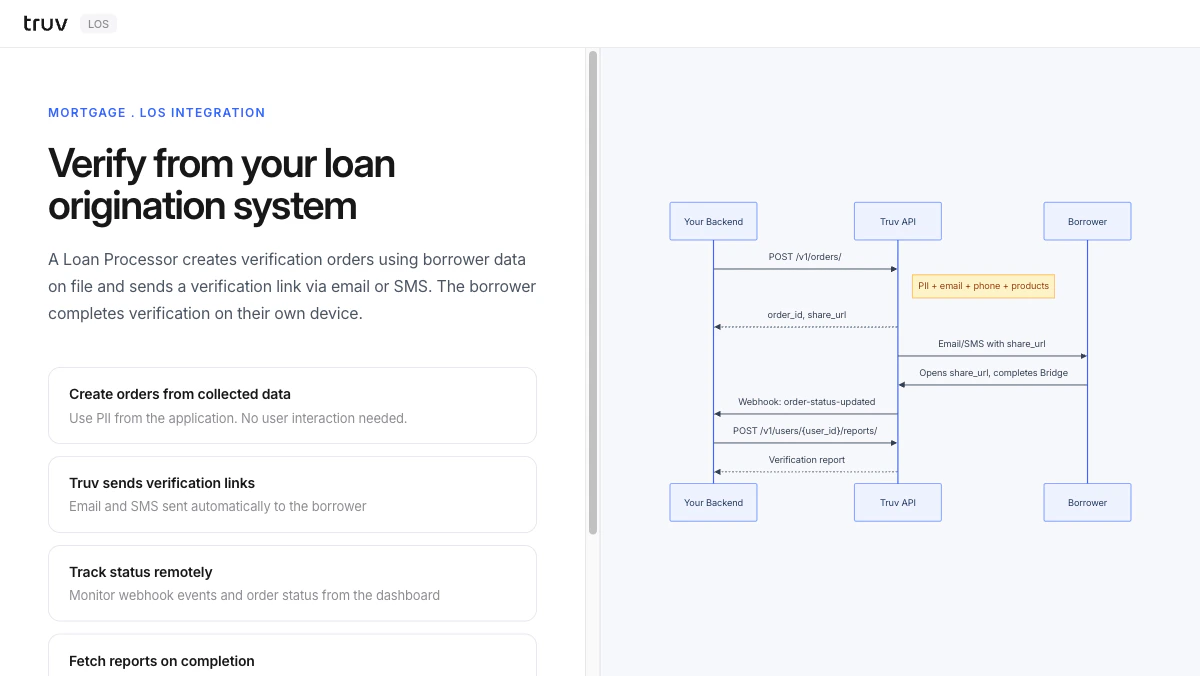
Flow
1
Create order from LOS data
Enter borrower PII from the LOS. The backend creates an order and receives a
share_url.2
Truv sends verification link
Truv delivers the
share_url to the borrower via email or SMS. No Bridge embedding needed on your end.3
Borrower completes and report is ready
The borrower opens the link and connects their employer.
order-status-updated fires on completion.