

Flow
1
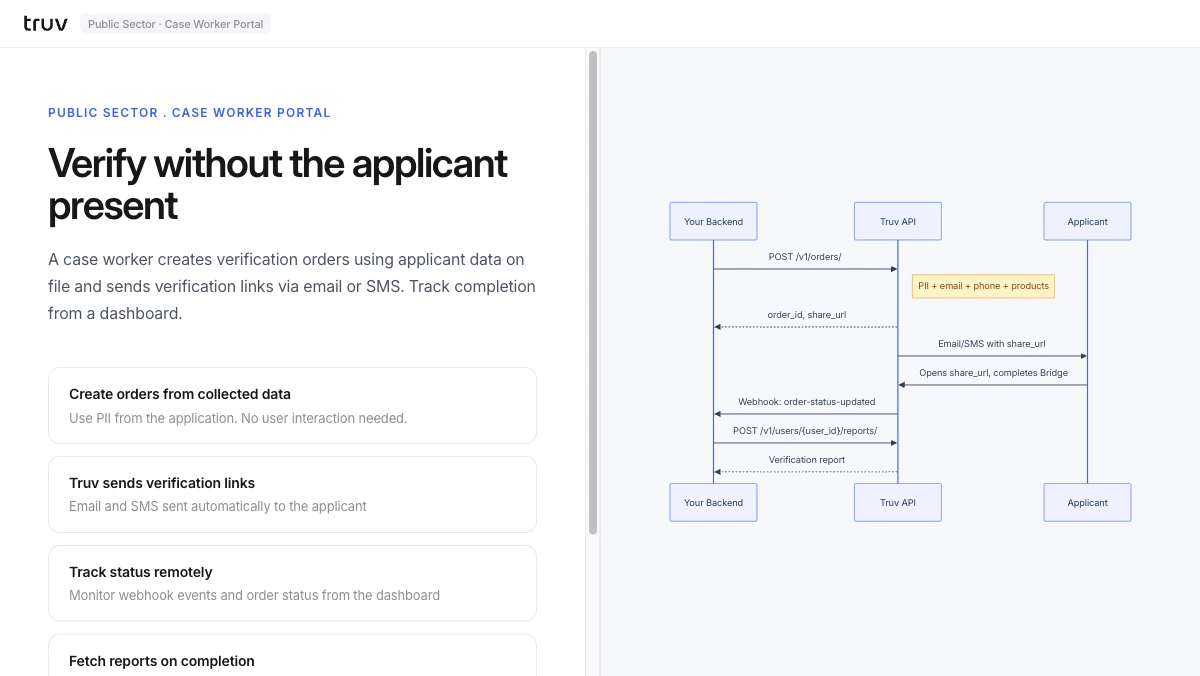
Create order from applicant data
Enter applicant PII from the case management system. The backend creates an order and receives a
share_url.2
Truv sends verification link
Truv delivers the
share_url to the applicant via email or SMS.3
Applicant completes and report is ready
The applicant opens the link and connects their employer.
order-status-updated fires on completion.