

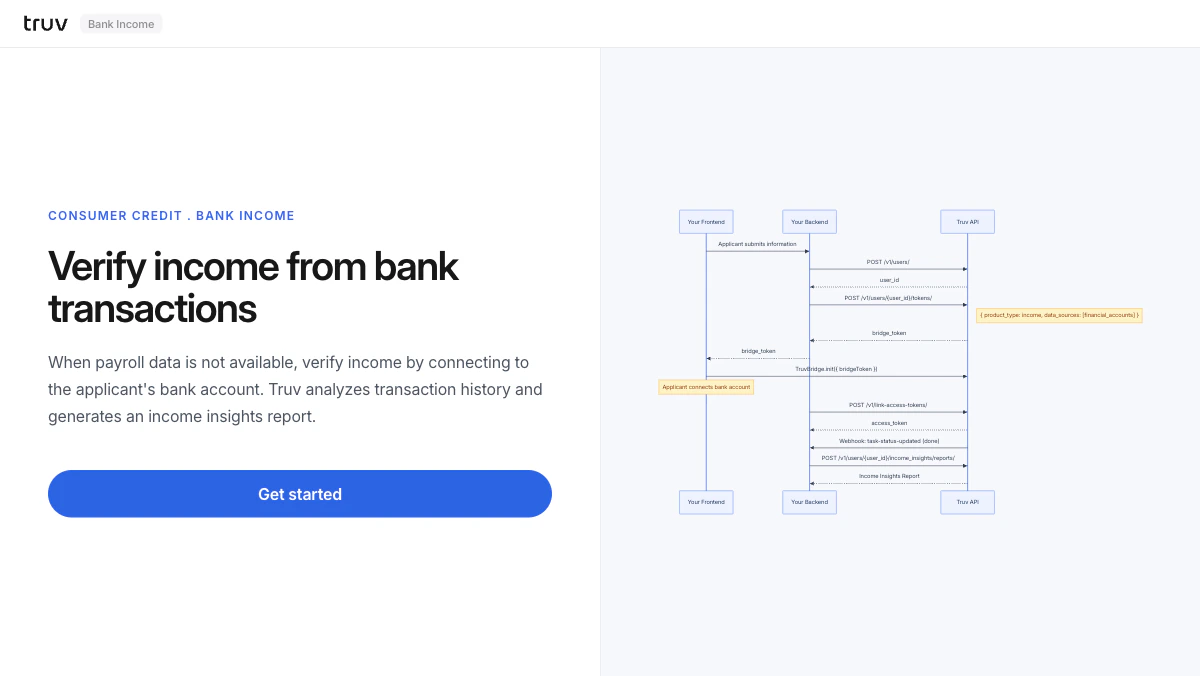
Flow
1
Create user and bridge token
The backend creates a user and generates a bridge token restricted to financial accounts.
2
Connect bank account via Bridge
Bridge opens showing only financial institutions. The applicant selects their bank and logs in.Sandbox credentials:
goodlogin / goodpassword3
Receive webhook and fetch report
task-status-updated fires on completion. Fetch the Income Insights report.