

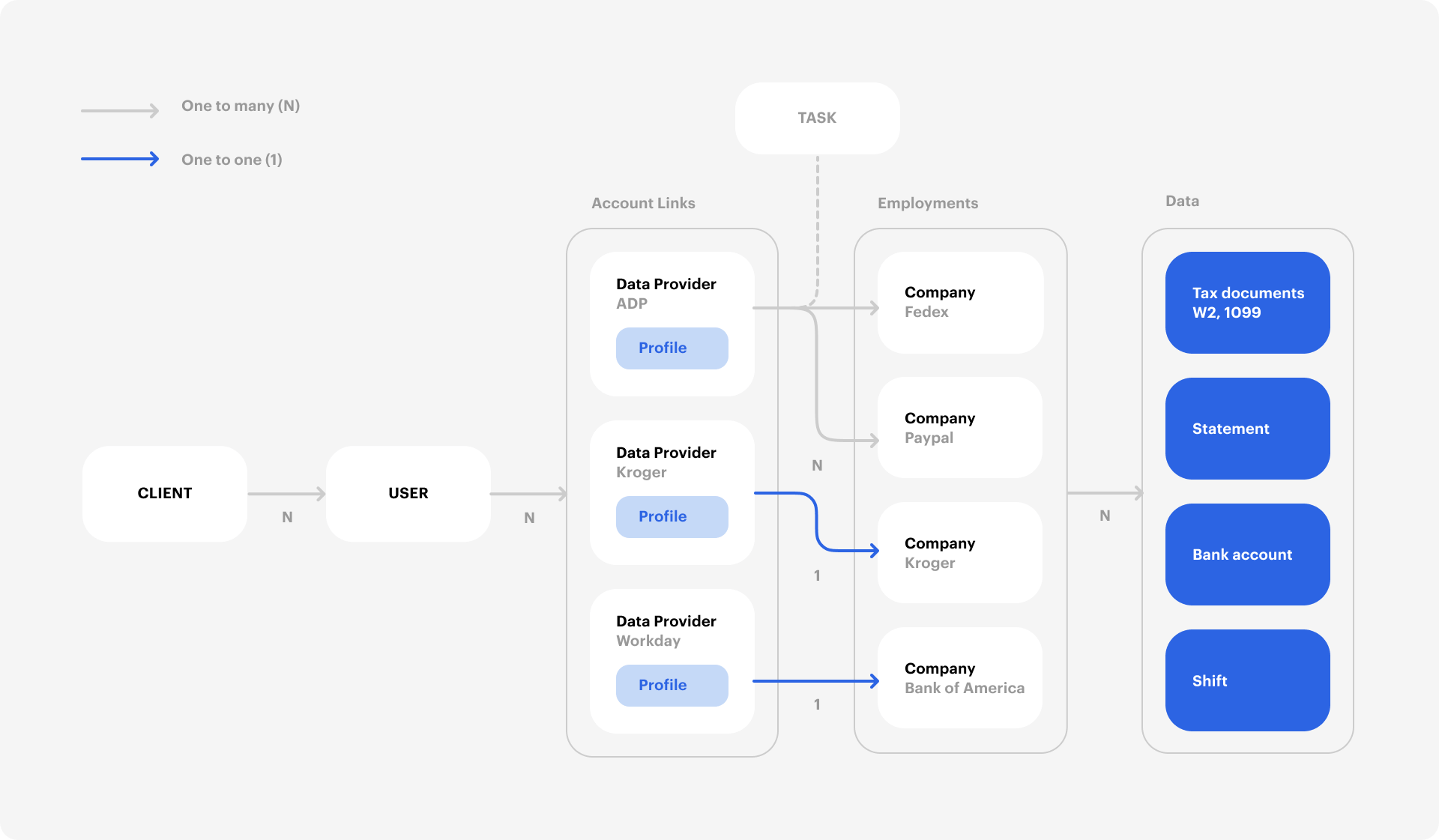
Object relationships
Every verification follows the same path through these objects:-
Order → User. You create an Order with the applicant’s details. Truv automatically creates a User, generates a Bridge Token, and builds a landing page with a unique
share_url. You can also create Users directly via the API if you manage your own frontend flow. - User → Bridge Token. A Bridge Token is a short-lived credential scoped to a single User. It controls which products the User can access, supports deeplinking to pre-select a provider, and sets the customization template. Pass it to your frontend to initialize Truv Bridge.
-
Bridge Token → Link. When the User authenticates with a data provider (payroll system, bank, or tax portal) through Truv Bridge, the system creates a Link, a persistent connection to that provider. The Link has an
access_tokenfor all subsequent data operations. If the same User reconnects with the same credentials to the same provider, Truv returns the existing Link rather than creating a duplicate. - Link → Task. Each data retrieval or action through a Link is a Task: fetching income data, switching a direct deposit, or refreshing stale data. A single Link can have multiple Tasks over its lifetime.
-
Task → Data. When a Task completes successfully, the verification data becomes available through the Link’s data endpoints. Listen for
task-status-updatedwebhooks to know when data is ready.
Orders
An Order is the starting point for every verification. Creating an Order automatically creates a User, generates a Bridge Token, and produces a landing page for the user to connect their account.Users
A User represents a person connecting their accounts through Truv Bridge. Each User can have multiple Links across different providers, and each Link carries its ownaccess_token, so a User with multiple connections has multiple access_tokens.
Links
A Link is a persistent connection to a data provider for a specific User. Reusing the same credentials for the same provider returns the same Link.Tasks
A Task is an individual action performed through a Link: fetching verification data, switching direct deposits, or refreshing a connection. Each Task progresses through a defined status flow fromnew to done or error. See Task Lifecycle for the full status diagram, processing times, and error handling.
Data retrieval by source
After a Task completes, the endpoint you use to retrieve data depends on thedata_source value on the employer or financial account suborder.
For
payroll sources, the income product automatically includes employment data. You do not need to make a separate employment request if you already requested income.For docs sources, the files and the structured data are two separate calls:- Uploaded files — use the Uploaded Documents API. It returns every recognized document on the Link, including types the income report does not carry, such as
F1099,F1040,VOLUNTEER_LETTER, andOTHER. ThefileURLs are pre-signed and expire after one hour; request the endpoint again for a fresh URL. - Structured income and employment data — use the income report. Note that the income report’s
statements[].fileonly covers pay stubs, so it is not a complete list of what the user uploaded. For line-level extraction from uploaded tax forms, use the Tax Documents API.
link_id from the collection finalization response (users[].links[].link_id) or from the task-status-updated webhook.Field constraints
Numeric fields across Truv’s API use a consistent precision format. All monetary and quantity fields are stored asDecimalField(max_digits=12, decimal_places=2), meaning up to 10 digits before the decimal point and exactly 2 digits after.
All numeric values are returned as strings (e.g.,
"70000.00"), not as JSON numbers. Parse them as decimals in your application to avoid floating-point precision issues.