> ## Documentation Index
> Fetch the complete documentation index at: https://docs.truv.com/llms.txt
> Use this file to discover all available pages before exploring further.
# Home Lending
> Income, employment, asset, and document-based income verification for mortgage origination
Truv helps mortgage lenders verify borrower income, employment, assets, and document-based income instantly, reducing loan processing time from days to minutes.
Fannie Mae & Freddie Mac approved for Income & Employment
Reduce verification time from days to minutes
Direct integration with Encompass, nCino, and more
Meet DU and LP requirements
***
## What you can verify
**GSE Certified**
* Current income and pay frequency
* YTD earnings
* Employment status and start date
* Employer information
* Bank account balances
* Account ownership verification
* Transaction history
* Large deposit identification
**Freddie Mac document income**
* Pay stub and W-2 digitization
* Document-based income calculation
* Fallback when payroll connection is unavailable
* Structured income data for LPA workflows
***
## Integration options
### Option 1: Platform Integrations (No Code)
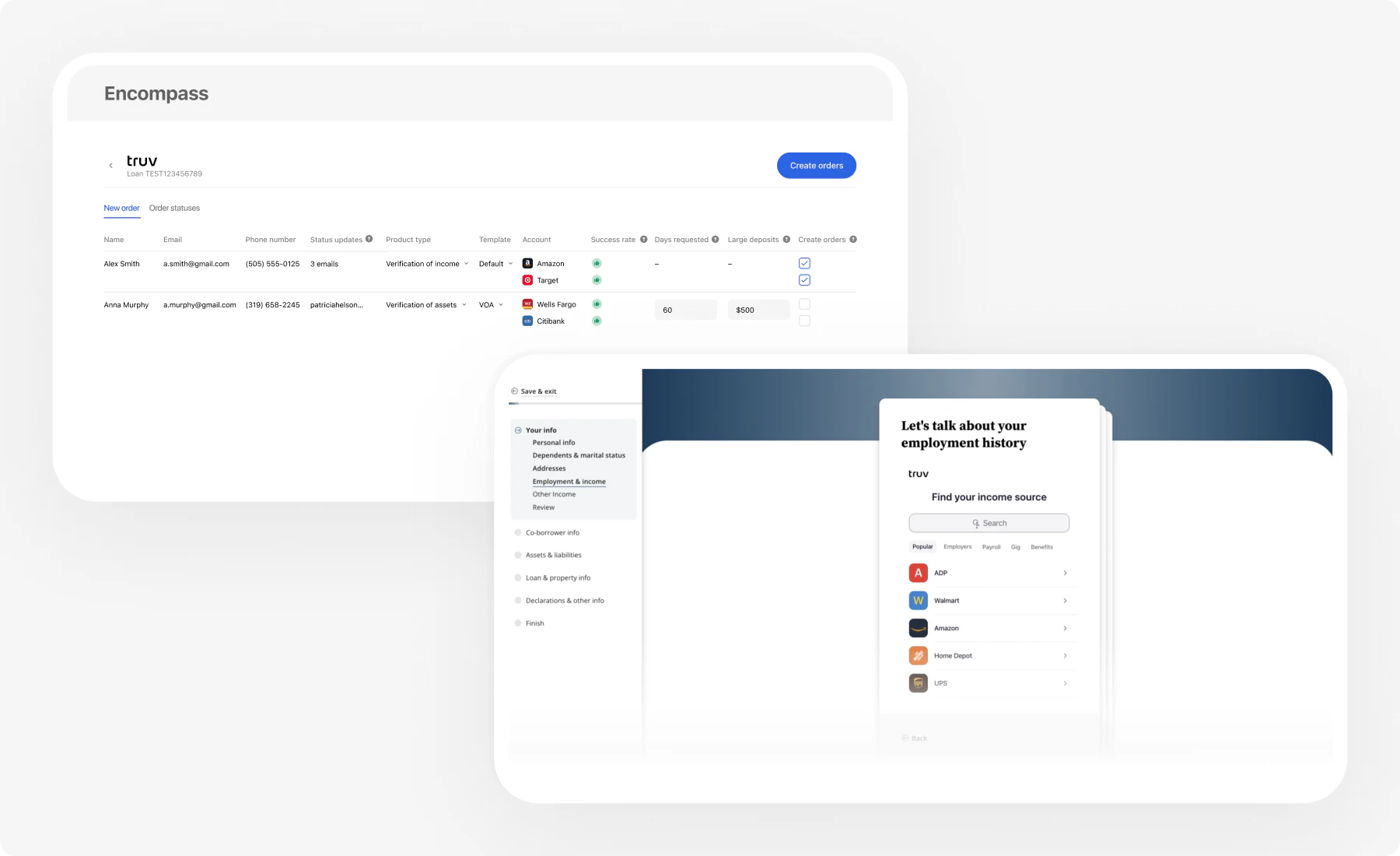 If you use a Loan Origination System (LOS) or Point of Sale (POS) system, you can integrate Truv with no code required.
Direct integration with Encompass eFolder
Embedded in borrower experience
POS integration
Blue Sage, BeSmartee, Lodasoft, and others
### Option 2: Embedded Orders (Custom Integration)
If you use a Loan Origination System (LOS) or Point of Sale (POS) system, you can integrate Truv with no code required.
Direct integration with Encompass eFolder
Embedded in borrower experience
POS integration
Blue Sage, BeSmartee, Lodasoft, and others
### Option 2: Embedded Orders (Custom Integration)
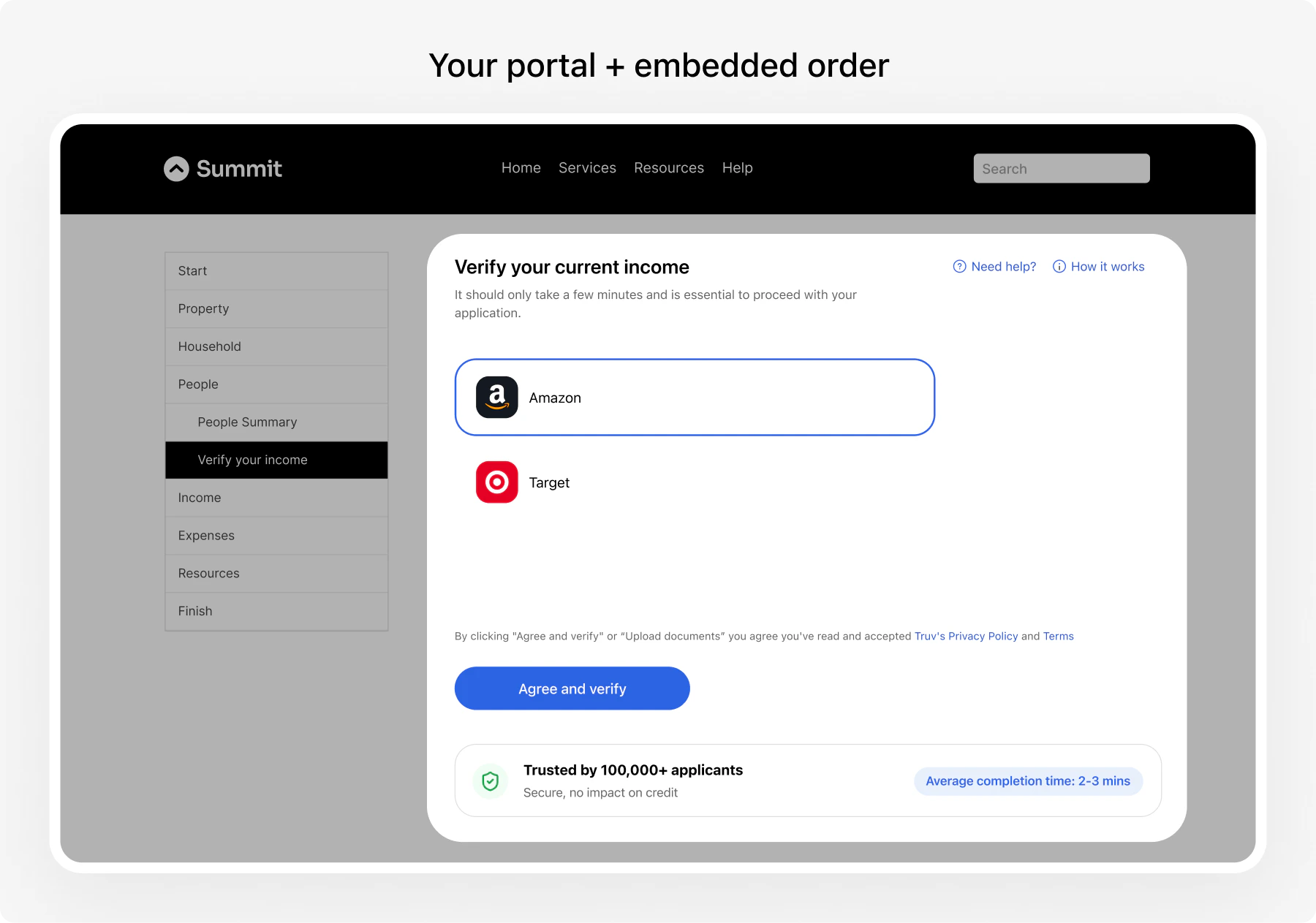 For custom implementations or non-LOS workflows:
**Recommended for custom integrations**
* Handles multiple borrowers in one workflow
* Supports multiple employers per borrower
* Combined Income & Employment + Assets verification
* Fully customizable branding
***
## Common scenarios
### Scenario 1: Purchase Loan
**Borrower profile:** Primary borrower with W-2 income, co-borrower with 1099 income. Needs Income & Employment + Assets.
**Products:** `income`, `assets` | **Integration:** [POS Application](/mortgage/integration/custom-pos) (separate order per borrower) or [LOS Integration](/mortgage/integration/los-overview)
### Scenario 2: Refinance
**Borrower profile:** Single borrower, single employer. Needs current Income & Employment only.
**Products:** `income` | **Integration:** [LOS Integration](/mortgage/integration/los-overview) (fastest) or [Custom Integration](/mortgage/integration/custom-pos)
### Scenario 3: HELOC
**Borrower profile:** Existing customer. Income verification for credit line increase.
**Products:** `income` | **Integration:** [Custom Integration](/mortgage/integration/custom-pos)
***
## GSE Compliance
### Day 1 Certainty (Fannie Mae)
Truv's Income & Employment reports are eligible for Day 1 Certainty, providing:
* Rep and warrant relief on income and employment
* Reduced documentation requirements
* Faster loan processing
### Loan Product Advisor (Freddie Mac)
Truv data meets LP requirements for:
* Asset and Income Modeler (AIM)
* AIM Check for document-based income assessment
* Automated income assessment
[Learn more about GSE testing -->](/developers/testing/gse-testing)
***
## Implementation timeline
| Integration Method | Timeline | Code Required |
| ----------------------- | --------- | ------------- |
| **LOS/POS Integration** | 1-2 weeks | None |
| **Embedded Orders** | 2-4 weeks | Minimal |
***
## Get started
* Using Encompass, SimpleNexus, or other LOS? --> [Platform Integration](/mortgage/integration/los-overview)
* Building custom? --> [Custom Integration](/mortgage/integration/custom-pos)
Test with sample borrower scenarios
Validate Day 1 Certainty eligibility
Pre-production validation
***
## Resources
POS Application, LOS, and follow-up guides
Complete API documentation
Implementation guidelines
[support@truv.com](mailto:support@truv.com)
For custom implementations or non-LOS workflows:
**Recommended for custom integrations**
* Handles multiple borrowers in one workflow
* Supports multiple employers per borrower
* Combined Income & Employment + Assets verification
* Fully customizable branding
***
## Common scenarios
### Scenario 1: Purchase Loan
**Borrower profile:** Primary borrower with W-2 income, co-borrower with 1099 income. Needs Income & Employment + Assets.
**Products:** `income`, `assets` | **Integration:** [POS Application](/mortgage/integration/custom-pos) (separate order per borrower) or [LOS Integration](/mortgage/integration/los-overview)
### Scenario 2: Refinance
**Borrower profile:** Single borrower, single employer. Needs current Income & Employment only.
**Products:** `income` | **Integration:** [LOS Integration](/mortgage/integration/los-overview) (fastest) or [Custom Integration](/mortgage/integration/custom-pos)
### Scenario 3: HELOC
**Borrower profile:** Existing customer. Income verification for credit line increase.
**Products:** `income` | **Integration:** [Custom Integration](/mortgage/integration/custom-pos)
***
## GSE Compliance
### Day 1 Certainty (Fannie Mae)
Truv's Income & Employment reports are eligible for Day 1 Certainty, providing:
* Rep and warrant relief on income and employment
* Reduced documentation requirements
* Faster loan processing
### Loan Product Advisor (Freddie Mac)
Truv data meets LP requirements for:
* Asset and Income Modeler (AIM)
* AIM Check for document-based income assessment
* Automated income assessment
[Learn more about GSE testing -->](/developers/testing/gse-testing)
***
## Implementation timeline
| Integration Method | Timeline | Code Required |
| ----------------------- | --------- | ------------- |
| **LOS/POS Integration** | 1-2 weeks | None |
| **Embedded Orders** | 2-4 weeks | Minimal |
***
## Get started
* Using Encompass, SimpleNexus, or other LOS? --> [Platform Integration](/mortgage/integration/los-overview)
* Building custom? --> [Custom Integration](/mortgage/integration/custom-pos)
Test with sample borrower scenarios
Validate Day 1 Certainty eligibility
Pre-production validation
***
## Resources
POS Application, LOS, and follow-up guides
Complete API documentation
Implementation guidelines
[support@truv.com](mailto:support@truv.com)