> ## Documentation Index
> Fetch the complete documentation index at: https://docs.truv.com/llms.txt
> Use this file to discover all available pages before exploring further.
# Quickstart
> Run a complete Truv integration in minutes with Python, Ruby, Go, Node.js, or C#
The [quickstart](https://github.com/truvhq/quickstart) repo runs a complete Truv integration end-to-end: create a user, launch Bridge, receive webhooks, and fetch reports. Available in five server-side languages, plus separate iOS and Android apps.
***
## Setup
### Prerequisites
* [Docker](https://www.docker.com/) and Docker Compose
* A [Truv sandbox account](https://dashboard.truv.com/app/development/keys)
* API credentials from the [Truv Dashboard API Keys page](https://dashboard.truv.com/app/development/keys)
### Clone and configure
```bash theme={null}
git clone https://github.com/truvhq/quickstart.git
cd quickstart
make env
```
Open `.env` and add your credentials from the [Dashboard API Keys page](https://dashboard.truv.com/app/development/keys):
```
API_CLIENT_ID=your_client_id
API_SECRET=your_secret
```
Set `IS_ORDER=true` to use the Orders API instead of the Users API. The Orders API lets you pre-configure employer and account information.
The quickstart also supports `API_PRODUCT_TYPE` values such as `income`, `employment`, `deposit_switch`, `pll`, and `admin`. Choose the product flow you want to exercise before starting the app.
### Environments
All environments use the same base URL: `https://prod.truv.com/v1/`. Your credentials determine which environment you're using.
| Environment | Purpose |
| -------------- | ----------------------------------------------------- |
| **Sandbox** | Test with sandbox credentials and simulated providers |
| **Production** | Live user traffic and billed activity |
***
## Languages and repos
### Server-side quickstarts
| Language | Repo | Port |
| -------- | ------------------------------------------------------------------------------ | ---- |
| Node.js | [quickstart/node](https://github.com/truvhq/quickstart/tree/master/node) | 5004 |
| Python | [quickstart/python](https://github.com/truvhq/quickstart/tree/master/python) | 5001 |
| Ruby | [quickstart/ruby](https://github.com/truvhq/quickstart/tree/master/ruby) | 5002 |
| Go | [quickstart/golang](https://github.com/truvhq/quickstart/tree/master/golang) | 5003 |
| C# | [quickstart/c-sharp](https://github.com/truvhq/quickstart/tree/master/c-sharp) | 5005 |
***
## Webhooks with ngrok
To receive webhooks locally, start ngrok in a separate terminal:
```bash theme={null}
ngrok http 3001
```
Copy the forwarding URL into `.env`:
```
NGROK_URL=https://xxxx-xxxx-xxxx.ngrok-free.app
```
Restart the app. It automatically registers a sandbox webhook and cleans it up on exit.
***
## Run
Pick your language and run with Docker:
```bash theme={null}
make node_docker # http://localhost:5004
make python_docker # http://localhost:5001
make ruby_docker # http://localhost:5002
make golang_docker # http://localhost:5003
make csharp_docker # http://localhost:5005
```
To run all languages simultaneously: `docker-compose up`
***
 ## Sandbox data
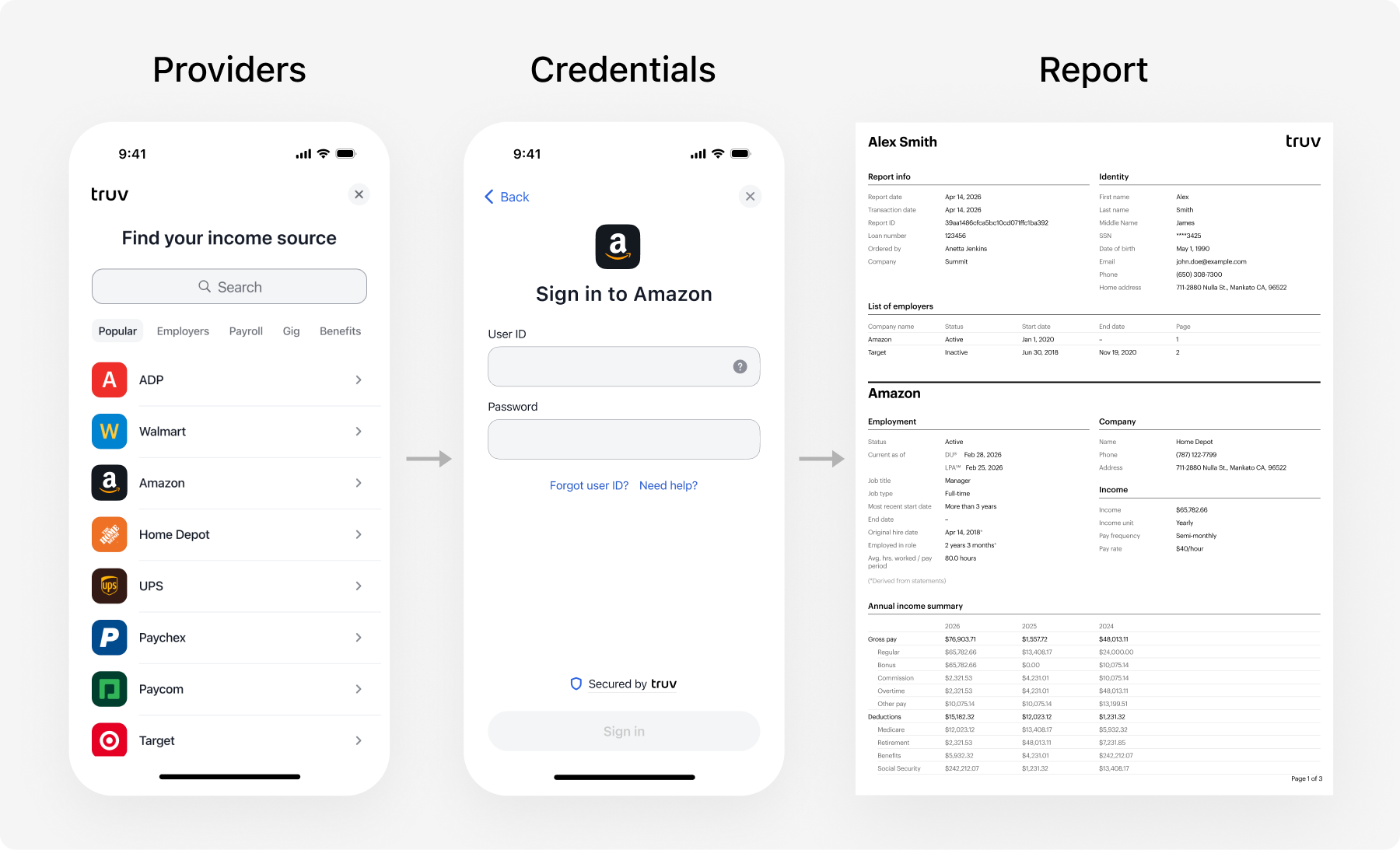
Use `goodlogin` / `goodpassword` to test a standard login flow, or `goodlogin` / `mfa` (MFA code: `12345`) to test the MFA flow.
See [Test Credentials](/developers/testing/test-credentials) for all scenarios including error states, pay frequencies, and financial accounts.
## Sandbox data
Use `goodlogin` / `goodpassword` to test a standard login flow, or `goodlogin` / `mfa` (MFA code: `12345`) to test the MFA flow.
See [Test Credentials](/developers/testing/test-credentials) for all scenarios including error states, pay frequencies, and financial accounts.