> ## Documentation Index
> Fetch the complete documentation index at: https://docs.truv.com/llms.txt
> Use this file to discover all available pages before exploring further.
# Support
> Submit and track support tickets with the Truv team
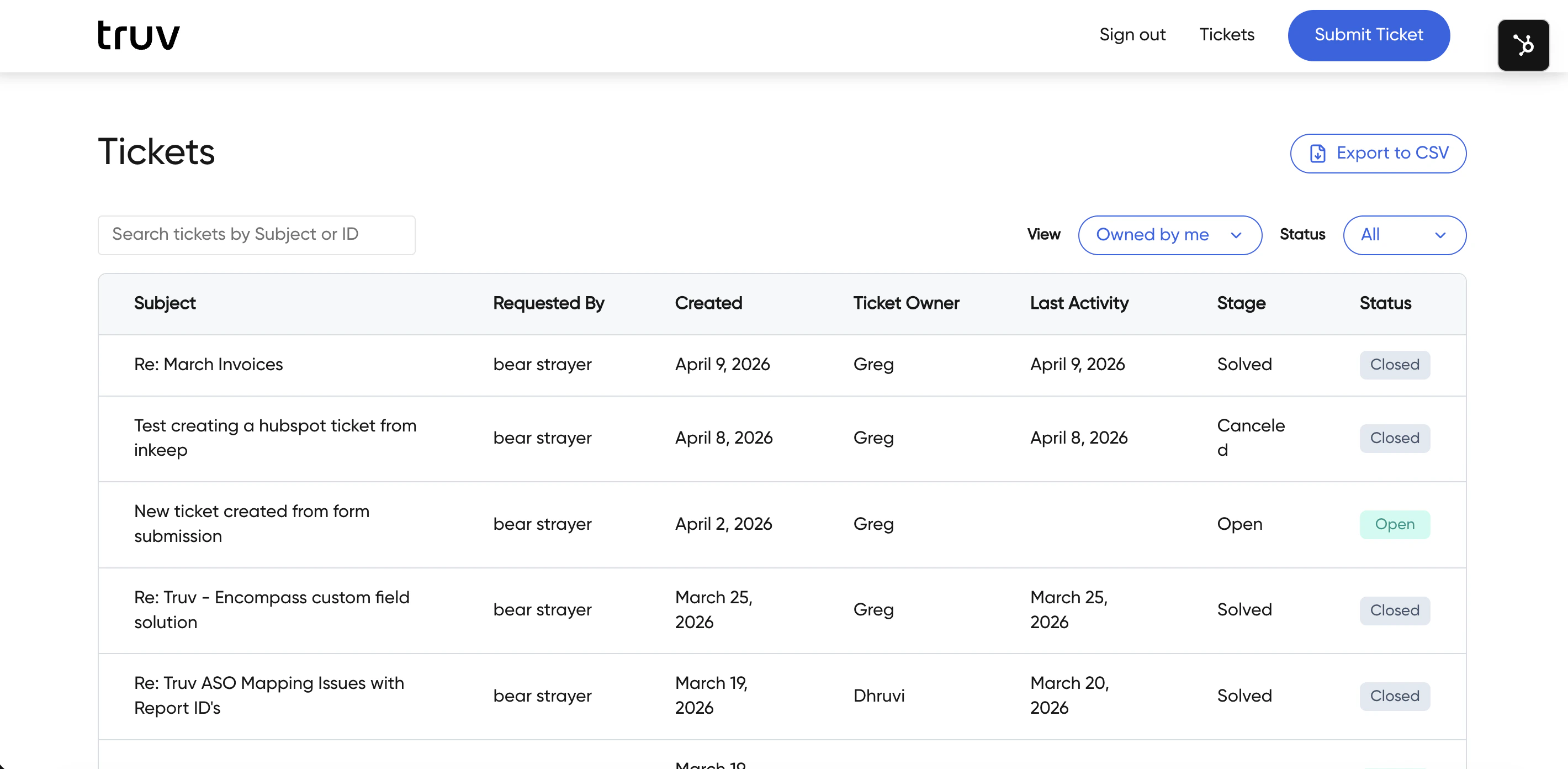
Submit and track support tickets with the Truv team. Log in with your Truv credentials to access the support portal.
 ***
## What you can do
* **View open tickets** — See all active support requests for your account. Click a ticket to see responses from support and reply to the thread.
* **Filter by scope** — View tickets submitted by yourself or across your entire organization. Search tickets by Subject or ID.
* **Export tickets** — Download ticket data as a CSV
* **Submit new tickets** — Create a new support request directly from the portal
***
## Get help
Browse FAQs and how-to articles
Reach the Truv support team directly
***
## What you can do
* **View open tickets** — See all active support requests for your account. Click a ticket to see responses from support and reply to the thread.
* **Filter by scope** — View tickets submitted by yourself or across your entire organization. Search tickets by Subject or ID.
* **Export tickets** — Download ticket data as a CSV
* **Submit new tickets** — Create a new support request directly from the portal
***
## Get help
Browse FAQs and how-to articles
Reach the Truv support team directly