> ## Documentation Index
> Fetch the complete documentation index at: https://docs.truv.com/llms.txt
> Use this file to discover all available pages before exploring further.
# Billing
> View your subscription, invoices, and usage data
View your subscription, track invoices, monitor credits, and break down usage in the Billing section. It has four tabs: **Subscription**, **Invoices**, **Credits**, and **Usage**.
***
## Subscription
The Subscription tab shows your current active plan and enabled products.
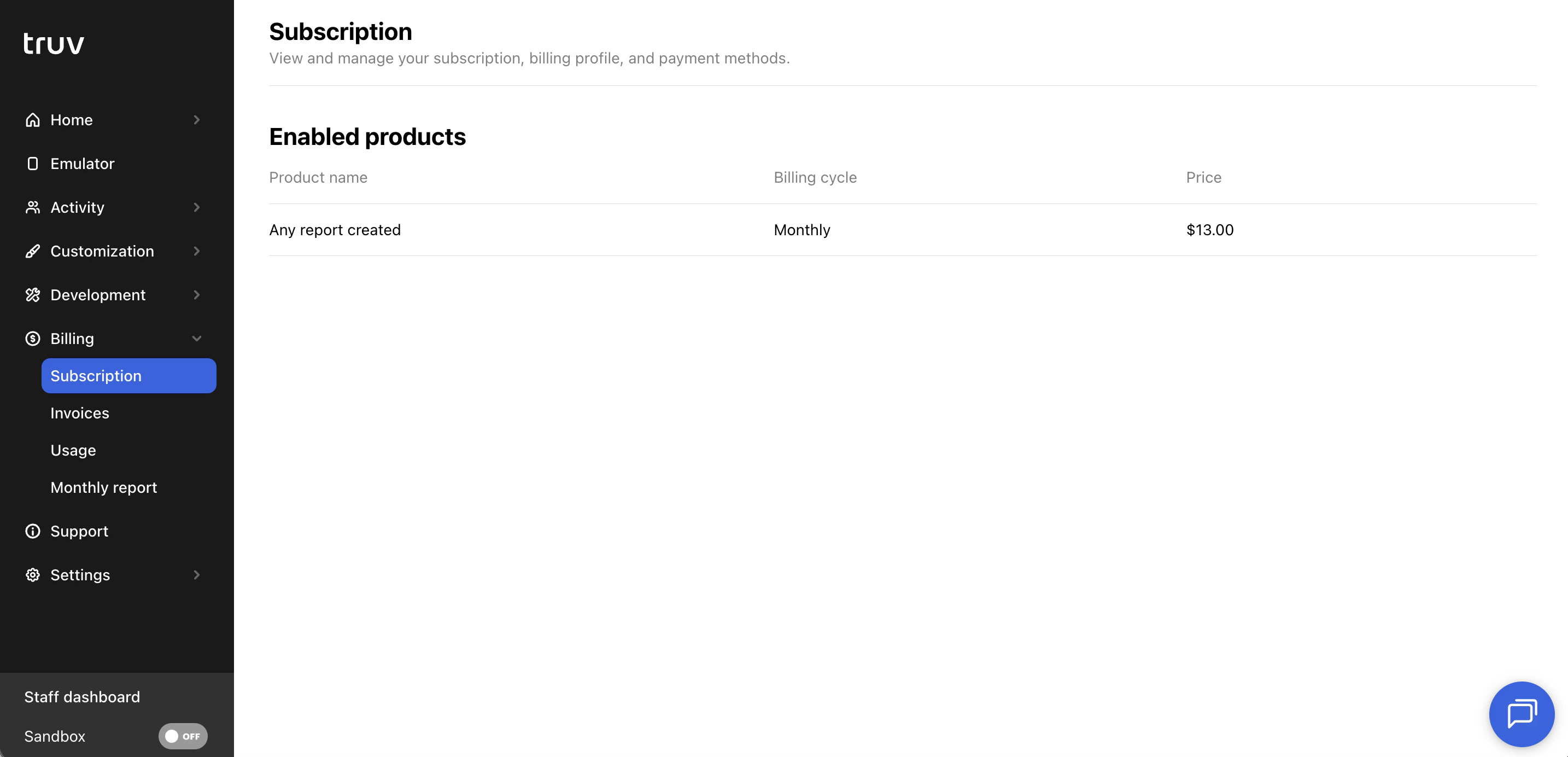 * Plan name and enabled product details
* Billing cycle and price per billable unit (task, report, or loan, depending on your contract)
***
## Invoices
The Invoices tab lists all invoices issued to your account.
* Plan name and enabled product details
* Billing cycle and price per billable unit (task, report, or loan, depending on your contract)
***
## Invoices
The Invoices tab lists all invoices issued to your account.
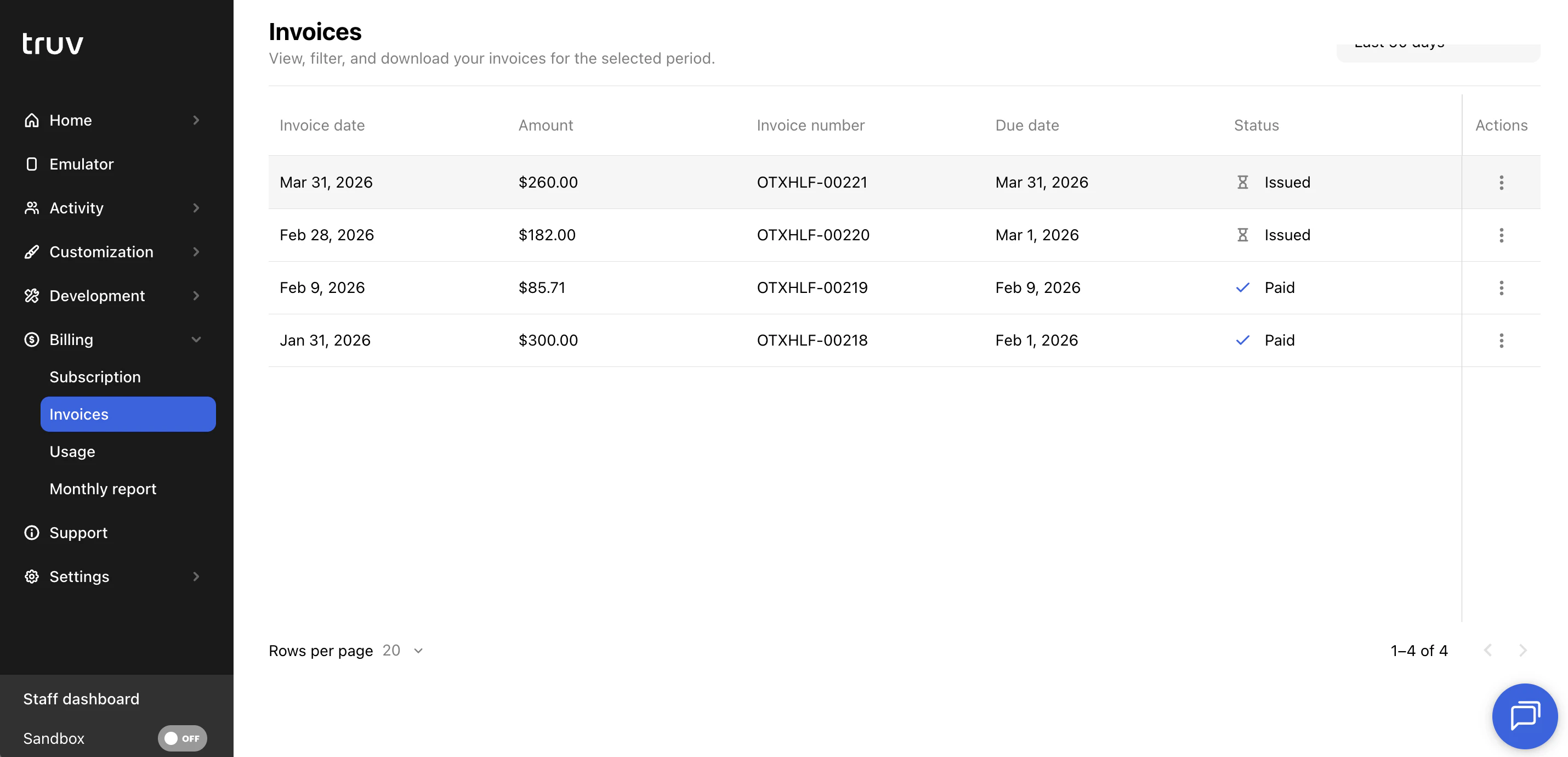 For each invoice you can:
* View invoice details including date, amount, invoice number, due date, and status
* Open a direct link to the invoice
* Pay outstanding invoices
***
## Credits
The Credits tab is visible when your account has a credit balance. It shows how credits are being consumed over time.
All dates in the Credits tab are displayed in UTC.
### Summary
| Metric | Description |
| -------------------- | ------------------------------------------------------ |
| **Starting balance** | Credit balance at the beginning of the selected period |
| **Ending balance** | Credit balance at the end of the selected period |
| **Total usage** | Total credits consumed during the selected period |
### Charts
Two line charts visualize credit activity over the selected date range:
* **Usage** — daily credit consumption
* **Credits balance** — daily ending balance
Use the **date period** filter to adjust the range (up to 365 days).
***
## Usage
The Usage tab shows a detailed breakdown of all usage in your account, mapped to your billable unit.
For each invoice you can:
* View invoice details including date, amount, invoice number, due date, and status
* Open a direct link to the invoice
* Pay outstanding invoices
***
## Credits
The Credits tab is visible when your account has a credit balance. It shows how credits are being consumed over time.
All dates in the Credits tab are displayed in UTC.
### Summary
| Metric | Description |
| -------------------- | ------------------------------------------------------ |
| **Starting balance** | Credit balance at the beginning of the selected period |
| **Ending balance** | Credit balance at the end of the selected period |
| **Total usage** | Total credits consumed during the selected period |
### Charts
Two line charts visualize credit activity over the selected date range:
* **Usage** — daily credit consumption
* **Credits balance** — daily ending balance
Use the **date period** filter to adjust the range (up to 365 days).
***
## Usage
The Usage tab shows a detailed breakdown of all usage in your account, mapped to your billable unit.
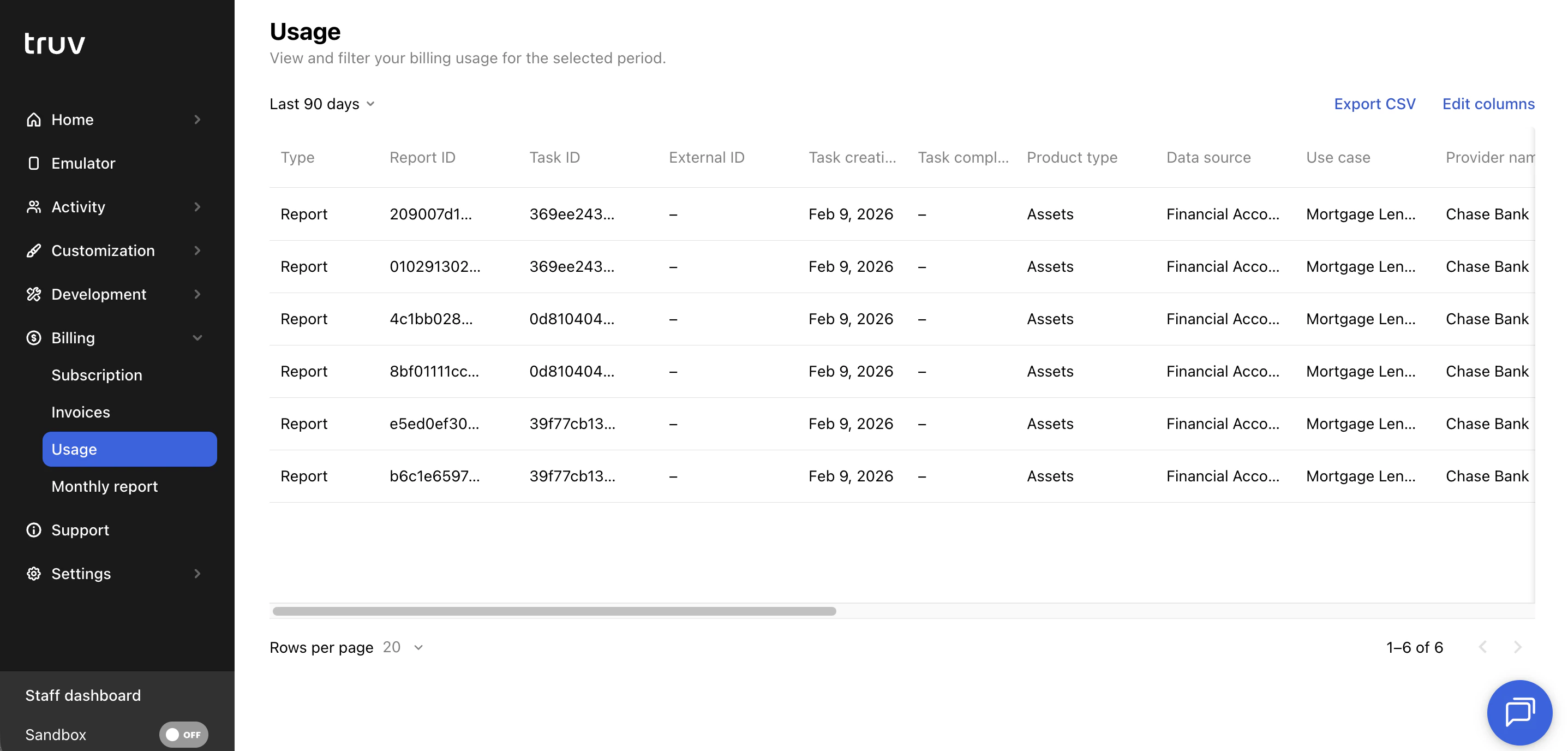 * The view adjusts to reflect whether your contract bills per **task**, **report**, or **loan**
* Filter by **date range** to see usage for a specific billing period
* Click **Export CSV** to download usage data for reconciliation against your invoice
* The view adjusts to reflect whether your contract bills per **task**, **report**, or **loan**
* Filter by **date range** to see usage for a specific billing period
* Click **Export CSV** to download usage data for reconciliation against your invoice