> ## Documentation Index
> Fetch the complete documentation index at: https://docs.truv.com/llms.txt
> Use this file to discover all available pages before exploring further.
# Data Processing
> Processing stages, timing, and data availability during verification
Truv processes verification data in sequential stages. Each stage produces progressively more data. Large documents and certain formats may require longer processing times.
## Processing stages
| Stage | Approximate time | Description |
| ---------------- | ------------------------------ | --------------------------------------------------------------------------------------------------------------------------------------------------------------- |
| `login` | \< 10 seconds | User authentication with payroll provider |
| `mfa` | 10–30 seconds | Payroll provider multi-factor authentication request from user |
| `parse` | \~30 seconds | Collecting basic information about identity, employment, and list of paystubs with pay dates |
| `full_parse` | \< 45 seconds, up to 5 minutes | Downloading and parsing paystubs, W-2s, and income sources. Data processing continues in the background after successful authentication and closing Truv Bridge |
| `switch_deposit` | \~30 seconds | Updating pay allocations and specified distributions within user account |
***
## Median stage times
Processing durations are approximations and may vary.
* **Login**: 5 to 15 seconds
* **Parse**: 30 to 60 seconds (Base parsing)
* **Full parse**: 1 to 5 minutes
***
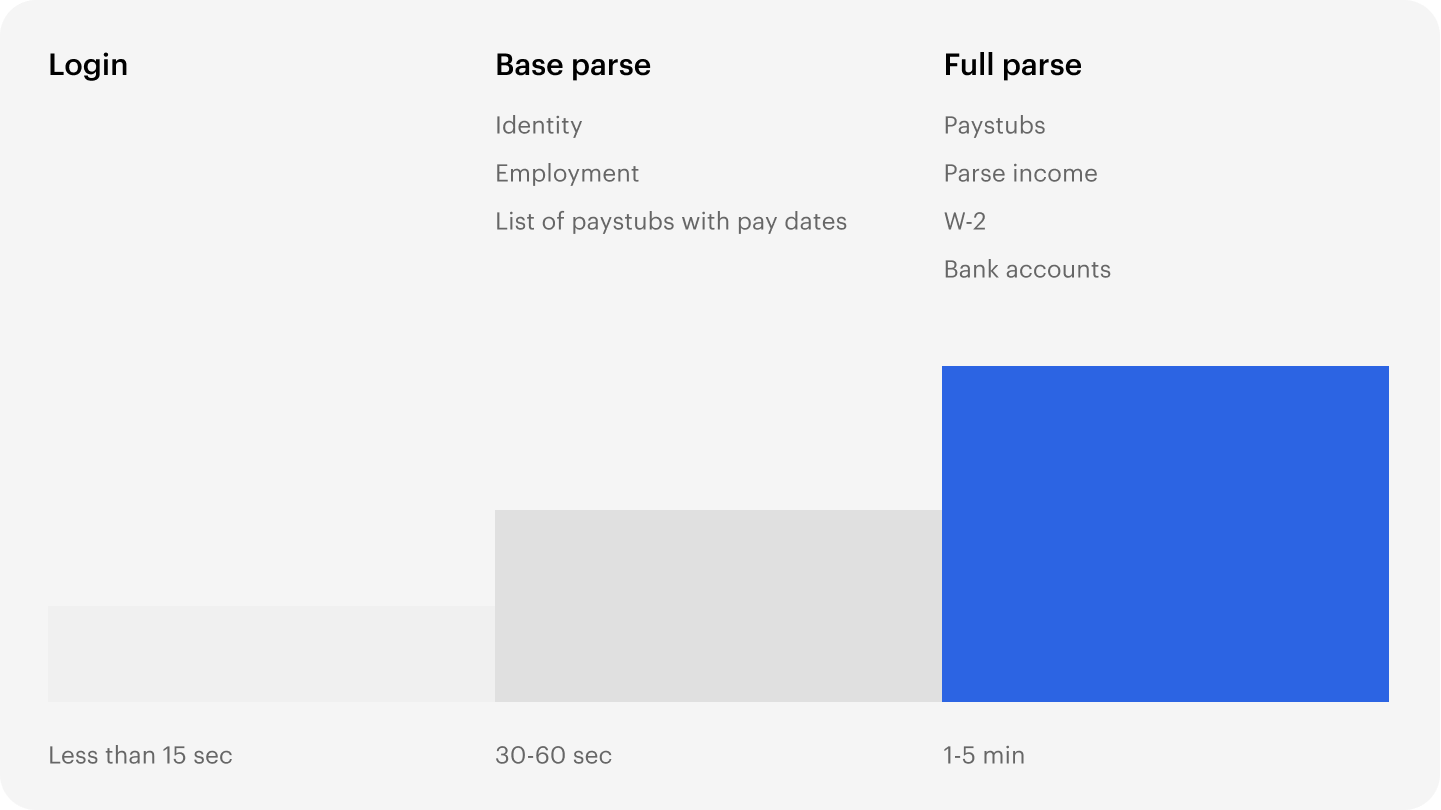
Each task has a maximum limit of 20 minutes to complete.
***
## Data available at each stage
| Stage | Data available |
| -------------- | ----------------------------------------------------- |
| **Login** | — |
| **Base parse** | Identity, Employment, List of paystubs with pay dates |
| **Full parse** | Paystubs, Parsed income, W-2s, Bank accounts |
When using VOIE endpoints, data from the base parse is available without waiting for full parse to complete. Use [webhooks](/api-reference/webhooks) or the [Tasks API](/api-reference/tasks/tasks_read) to track progress.